

Setting Up an EA in MT4 (Windows)
Using the Expert Advisor (EA) in MT4 allows for automated trading. Here we guide you on setting up automated trading using an EA. You can obtain EAs online or create your own. Notably, TitanFX offers numerous EAs for free, so feel free to try them.
Installing an EA
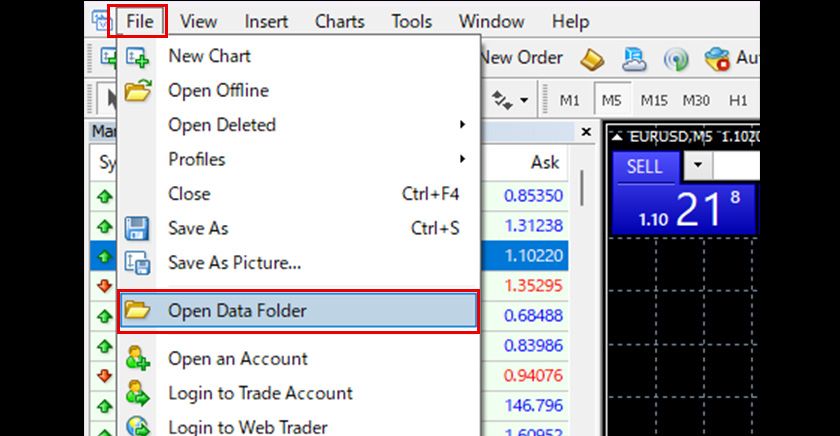
Select 'Open Data Folder' from the 'File' menu in MT4.
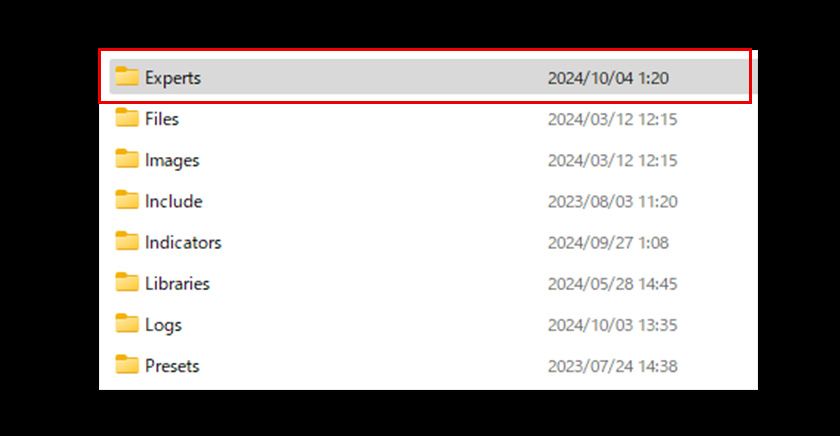
Copy and paste the EA file into the 'Experts' folder within the 'MQL4' folder shown in the explorer.
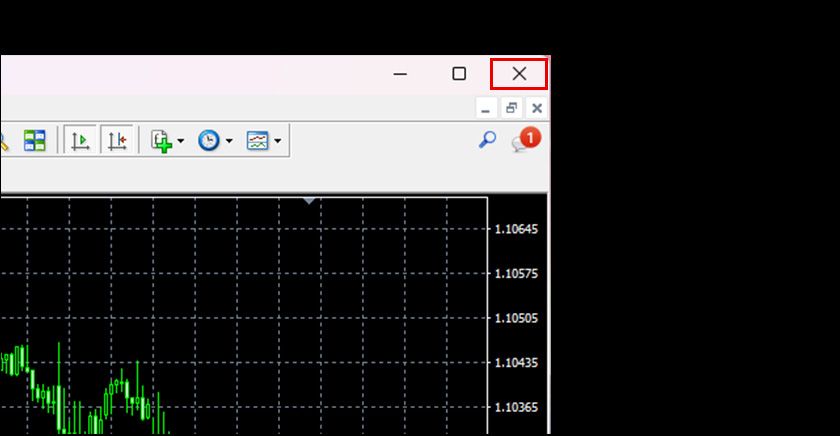
Restart MT4.
Launching an EA
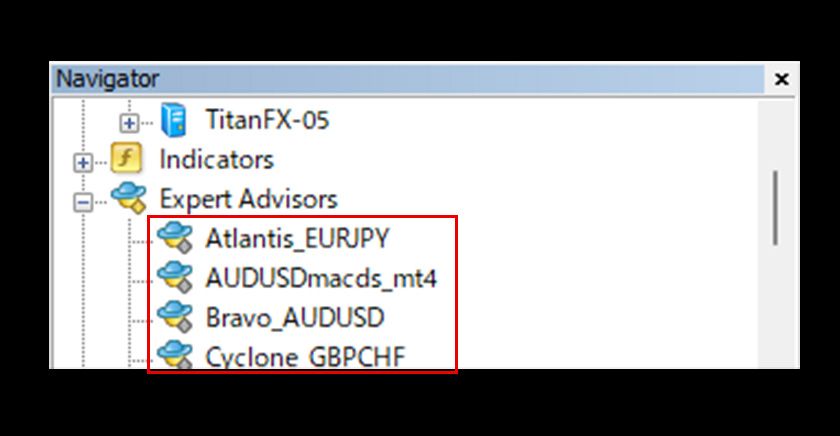
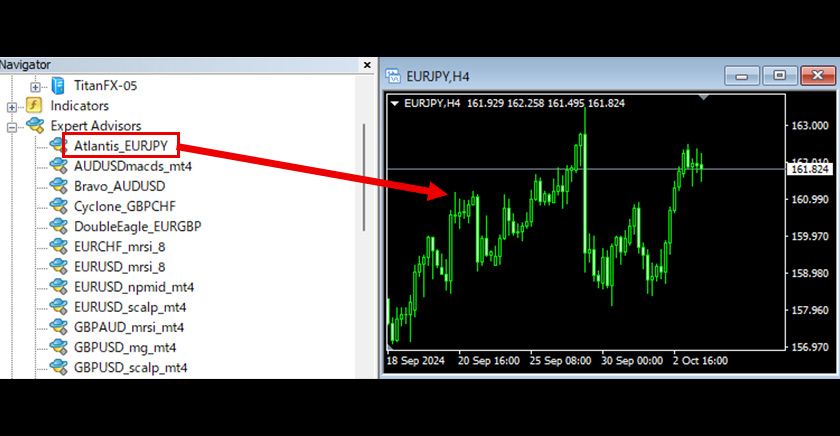
After restarting, the added EA will appear in the Expert Advisors section of the navigator.
An EA operates on a single specified chart. Set the trading symbol and time frame, then double-click on the EA name in the navigator or drag and drop it onto the chart.
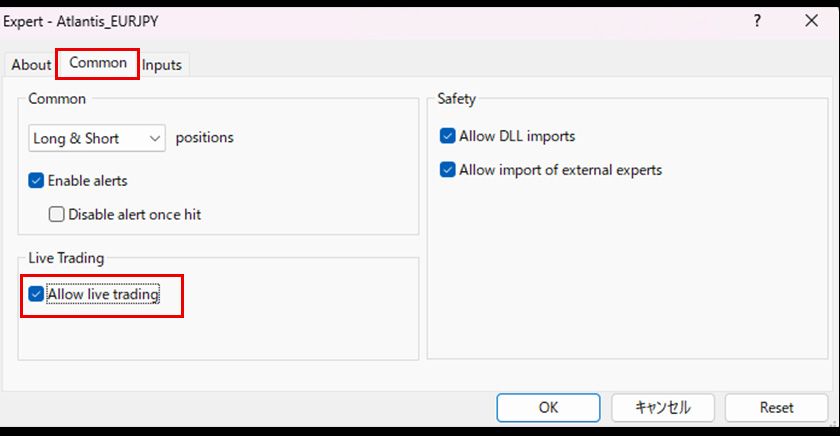
Check 'Allow live trading' in the 'Common' tab of the settings window that appears.
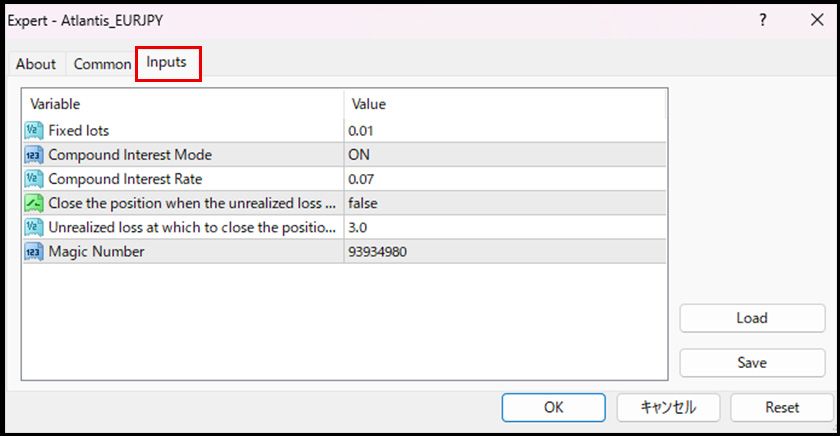
In the 'Inputs' tab, adjust parameters such as lot sizes as needed and click 'OK' to launch the EA.
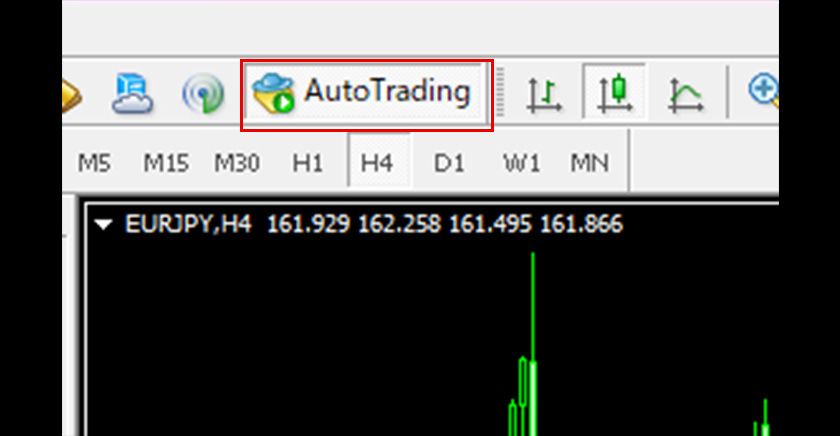
Finally, click the 'Auto Trading' section of the toolbar to turn on automated trading (green play icon), which starts the automated trading.
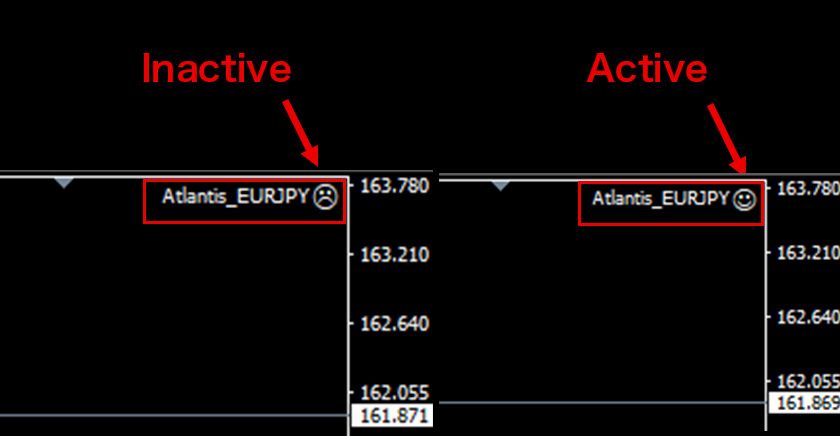
You can verify that the EA is operating by the face icon at the top left of the chart. A smiling face indicates that the EA is active.
Stopping an EA
Stopping a specific EA
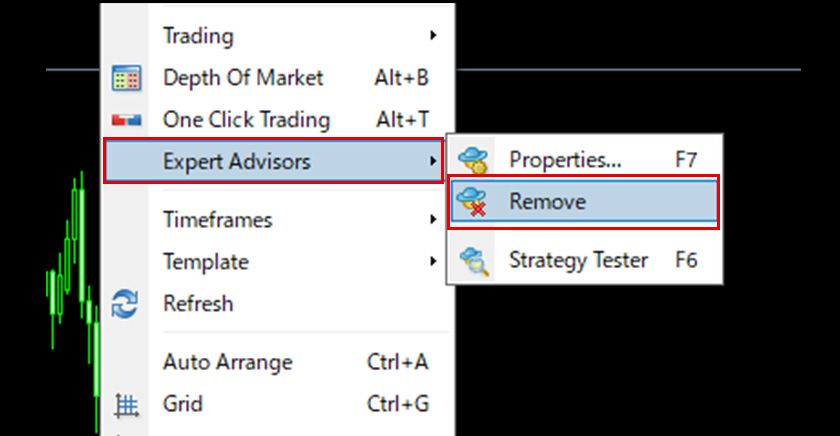
To stop an EA, right-click on the chart where the EA is running and select 'Remove' from the 'Expert Advisors' menu in the displayed menu. You can also close the chart with the '×' button to stop the EA. Note that open positions or pending orders remain, so if unnecessary, they need to be closed manually.
Stopping all EAs in MT4
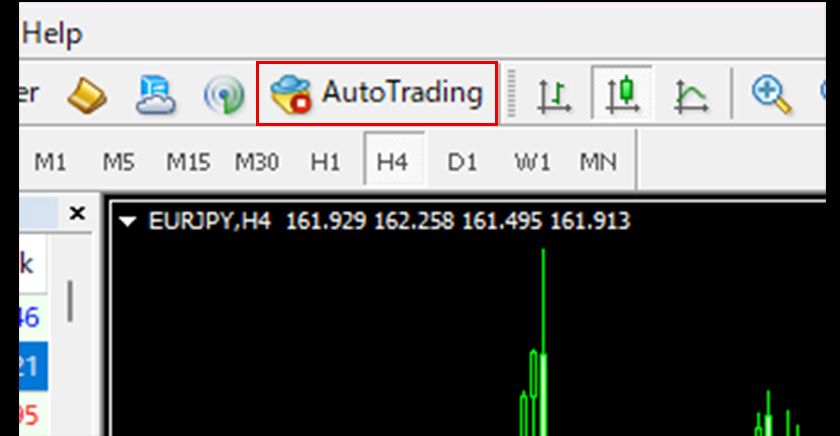
Finally, click the 'Auto Trading' section of the toolbar to turn off automated trading (red stop icon), which pauses all EAs operating in MT4. Turning it back to on (green play icon) will resume operation. Note that open positions or pending orders remain, so if unnecessary, they need to be closed manually.
Important Notes When Operating an EA
-While an EA is running, MT4 and the chart it is operating on must be kept open. Closing them will stop the EA.
-Maintain a stable internet connection while an EA is running. Interruptions can cause improper functioning of the EA, potentially leading to unintended trades.
-Stopping an EA does not automatically close open positions or cancel pending orders; these must be manually managed if no longer needed.
Frequently Asked Questions (FAQ)
Q1. I added an EA but it does not appear in the MT4 Navigator.
Make sure the EA file is placed in the "MQL4 / Experts" folder and that you have restarted MT4. The EA appears under Expert Advisors in the Navigator after a restart.
Q2. AutoTrading will not start. What should I check?
Check that the "AutoTrading" button on the toolbar is on (green) and that "Allow automated trading" is ticked on the "Common" tab of the EA settings.
Q3. Where can I get an EA?
You can download one online or build your own. Titan FX also offers a range of free EAs you can use.